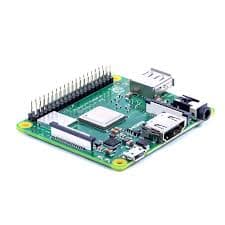
Raspberry Pi 3 Model A+
SKU: 169868 Raspberry Pi 3 Model A+ is a compact single-board computer powered by a 1.4GHz 64-bit quad-core processor, featuring 512MB RAM, Wi-Fi, Bluetooth 4.2, HDMI, USB, and a 40-pin GPIO header for efficient project development.
0.0
|0 reviews₹2,615
Inclusive of all taxes
1
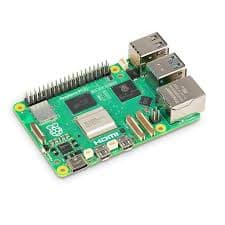
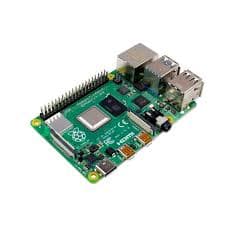
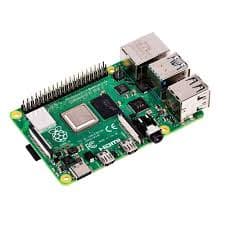
Raspberry Pi 3 A+ is the upgraded 2018 version of the Raspberry Pi A-series, featuring the Broadcom BCM2837B0, Cortex-A53 (ARMv8) 64-bit quad-core processor running at 1.4GHz. With built-in dual-band wireless LAN and Bluetooth 4.2/BLE, the Raspberry Pi 3 A+ brings powerful performance and connectivity in a compact, lightweight design while retaining the same mechanical format as the original Raspberry Pi 1 Model A+. Equipped with an extended 40-pin GPIO header and full-size HDMI port, the Raspberry Pi 3 A+ is an ideal board for minimalist Pi enthusiasts and low-power projects. Unlike the Model B+, it eliminates the Ethernet jack and three USB ports, making it more affordable, energy-efficient, and significantly smaller in size at just 65 mm x 56 mm. Despite this, it remains fully compatible with existing Pi operating systems, software, HATs, and accessories. Designed for flexibility and compact applications, the Raspberry Pi 3 A+ includes a single USB port, HDMI, audio/composite connector, and micro-USB power input. This board provides the same camera and display interfaces as the B+ model, allowing users to create multimedia projects, IoT solutions, or educational setups with ease. With the Raspberry Pi 3 A+, you get the perfect balance of performance, portability, and cost-effectiveness. To Get Started, You’ll Need: 1. A micro SD card with NOOBS (see Software & OS tab) 2. A high-quality 2.5A micro USB power supply, such as the official Raspberry Pi Universal Power Supply: https://www.raspberrypi.com/products/raspberry-pi-universal-power-supply/ For a step-by-step guide to getting your Pi up and running, check out our online Getting Started guide. Configuration Guide: Read basic and advanced guides to configuring your Raspberry Pi: https://www.raspberrypi.com/documentation/computers/configuration.html Remote Access: Read about accessing your Raspberry Pi remotely: https://www.raspberrypi.com/documentation/computers/remote-access.html Software installation: Beginners should start with the NOOBS (New Out Of Box Software): https://www.raspberrypi.com/documentation/computers/getting-started.html . operating system installation manager, which gives the user a choice of the operating system from the standard distributions. SD cards with NOOBS pre-installed should be available from any of our global distributors and resellers. Alternatively, you can download NOOBS: https://www.raspberrypi.com/software/ Raspbian is the recommended operating system for normal use on a Raspberry Pi. Find help with installing Raspbian on your Pi in our online Getting started guide: https://projects.raspberrypi.org/en/projects/raspberry-pi-setting-up You can browse basic examples to help you get started with some of the software available in Raspbian: https://www.raspberrypi.com/documentation/computers/os.html, find more detail about the Raspbian operating system: https://www.raspberrypi.com/documentation/computers/os.html, or read information on fundamental Linux usage and commands for navigating the Raspberry Pi and managing its file system and users. Package Includes: 1 x Raspberry Pi 3 Model A+ Board